
UK Savings Tax Calculator & ISA Tracker Spreadsheet 2026-28, Net Worth Dashboard, Excel & Google Sheets
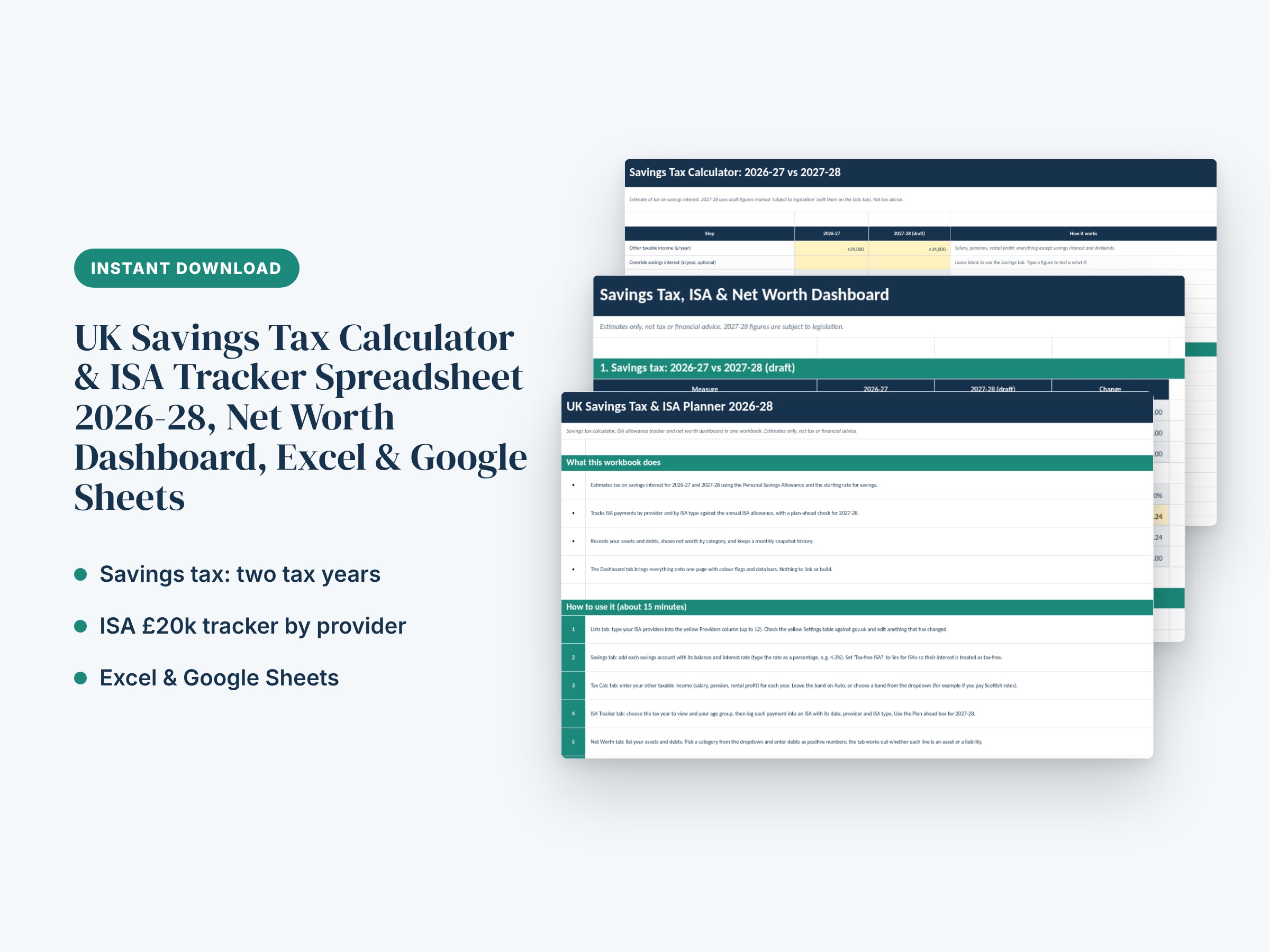
Work out how much tax your savings interest could attract, keep track of your £20,000 ISA allowance across providers, and see your net worth on one dashboard. This is a ready-built Excel workbook (it also works in Google Sheets) with the formulas, dropdowns and colour flags already done. It comes pre-filled with fictional sample data so you can see it working before you clear it and add your own figures. It compares 2026-27 with 2027-28, with the 2027-28 figures shown as draft and subject to legislation. It is a planning tool that gives estimates only. It is not tax or financial advice.
What's included:
- 1 Excel workbook (.xlsx) with 7 tabs, no macros
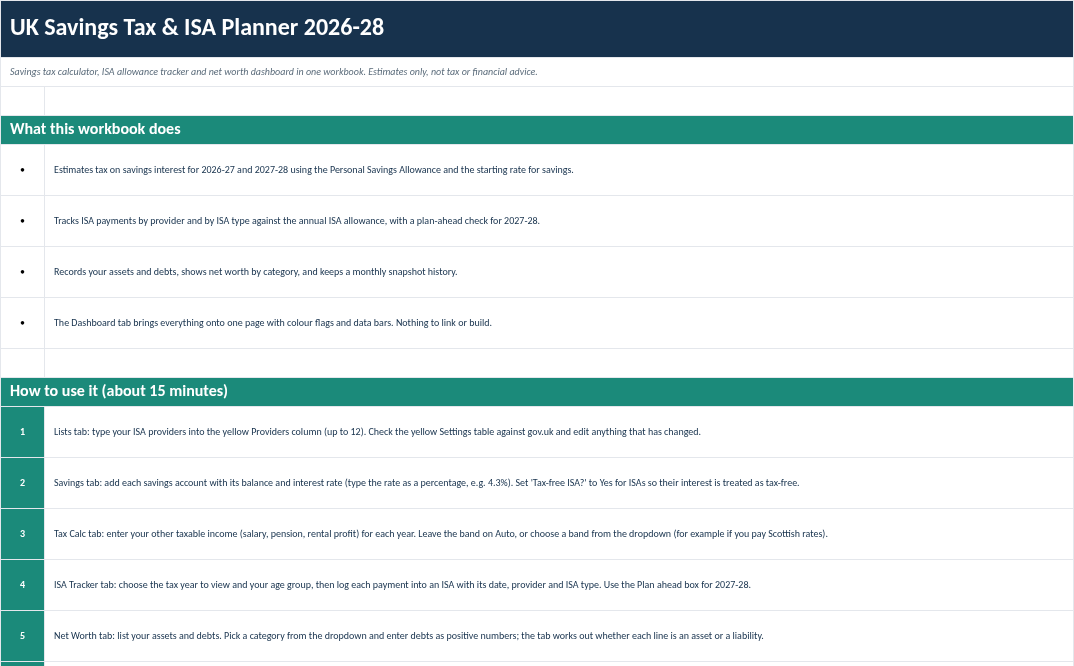
- Start Here tab: step-by-step instructions, colour key, how to clear the sample data, how to open in Google Sheets
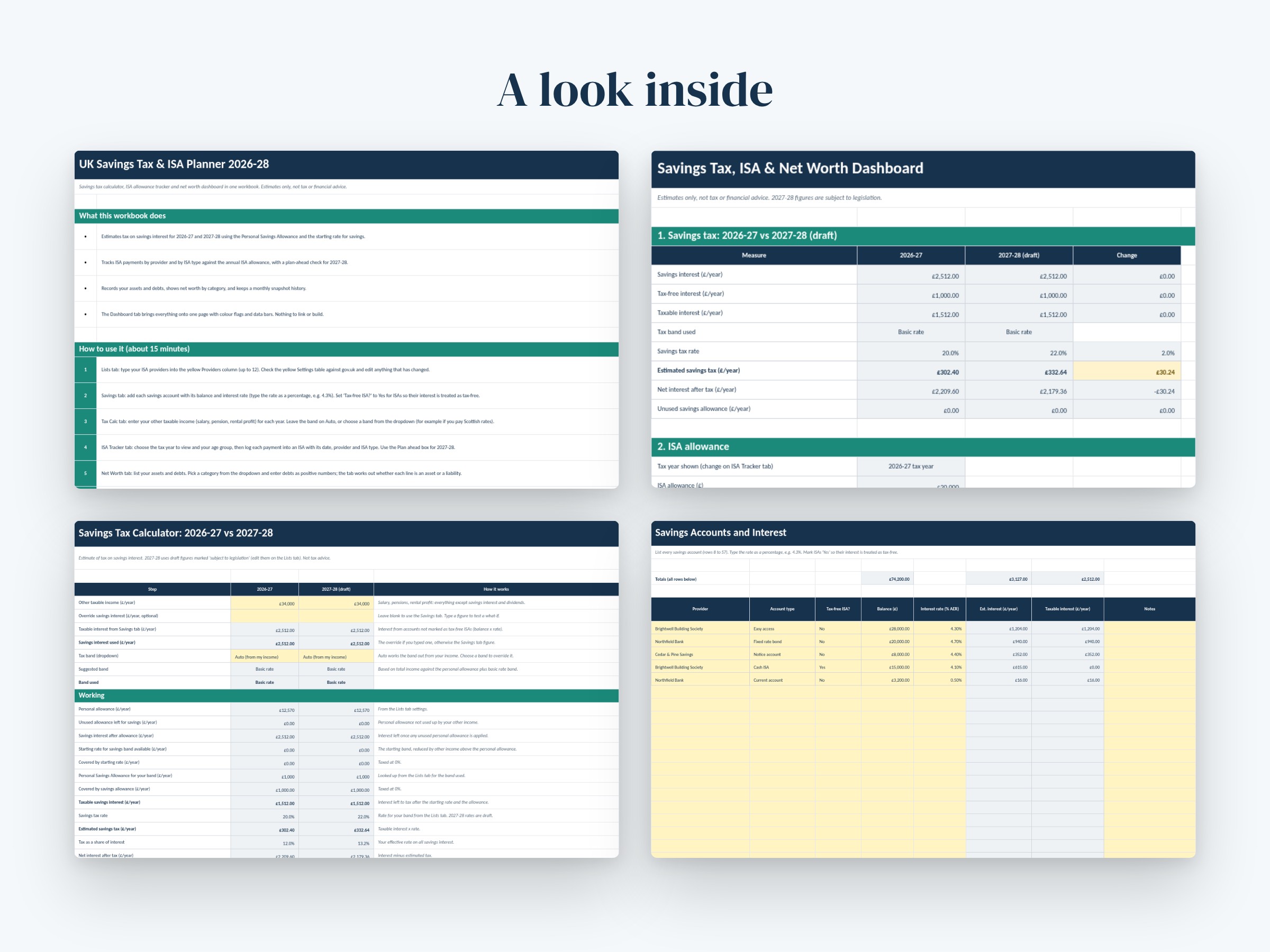
- Dashboard tab (no gridlines): savings tax for 2026-27 vs 2027-28, ISA allowance used with red/amber/green flags, ISA paid in by type and by provider with data bars, net worth by category
- Tax Calc tab: savings interest, Personal Savings Allowance, starting rate for savings and estimated tax for both years, with a tax band dropdown (Auto, Basic, Higher, Additional)
- Savings tab: 50 account rows with balance, rate and ISA marker; interest and taxable interest calculated for you
- ISA Tracker tab: 200 payment rows with provider and ISA type dropdowns, automatic tax year, and a plan-ahead box for 2027-28 that checks your totals against the allowance and the draft cash ISA limit
- Net Worth tab: 60 asset and debt lines (type worked out from the category dropdown) plus 36 monthly snapshots with change over time
- Lists tab: editable settings for allowances, band limits, savings tax rates and ISA limits, plus your own provider list
- Fictional sample data in every input area, easy to clear
- Not included: live interest rates, tax return filing, or any printed item
How to use:
1. Download the file in a web browser (not in the Etsy app) and open it in Excel 2016 or later, or in Google Sheets via File > Import.
2. Read the Start Here tab, then check the yellow settings on the Lists tab against gov.uk.
3. Add your savings accounts on the Savings tab and your other taxable income on the Tax Calc tab.
4. Log ISA payments on the ISA Tracker tab and your assets and debts on the Net Worth tab.
5. Open the Dashboard tab to see your results. Clear the sample data using the cell ranges listed on Start Here.
Notes: the model is simplified (for example it ignores dividends, Gift Aid, Marriage Allowance, Scottish band differences and the personal allowance reduction above £100,000). Figures for 2027-28 are drafts that may change, and you can edit every rate and limit.
Designed with the help of AI tools and reviewed for quality. Digital download: no physical item will be shipped.
You might also like.