

Track Job Applications Effectively: Master Your Search
How to Track Job Applications and Stay Organized in Your Job Search
When you're job hunting, especially if you're a recent graduate applying to multiple positions, it's easy to lose track of where you've applied, which companies you've heard back from, and what you need to do next. One of the best ways to stay on top of your search and improve your chances of success is to maintain a simple but thorough system for tracking your applications.
Why Tracking Your Job Applications Matters
Job searching without a tracking system is like applying for dozens of jobs and hoping you remember all the details without writing anything down. Without a record, you might:
- Miss follow-up dates and lose opportunities with companies that want to hear from you
- Accidentally apply twice to the same company (or mention the wrong company in an email)
- Forget key details about the role or the hiring manager's name
- Spend time applying to positions you've already submitted for
- Lose the interview preparation you did for a specific company
A simple tracking system solves all of these problems and gives you confidence that you're managing your search professionally.
What You Should Track for Each Application
Start by creating a central place to record information about every job you apply for. Here are the key details worth logging:
- Company name and website
- Job title and link to the posting
- Application date and deadline
- Contact name (hiring manager or recruiter, if known)
- Contact email and phone number
- Key details about the role (responsibilities, required skills, salary if listed)
- Status (applied, rejected, interview scheduled, offer received, etc.)
- Follow-up date and notes on any contact you've had
- Interview date and time
- Your interview preparation notes (common questions you researched, company facts you learned)
Building Your Own Tracking System
You can use whatever format works for you—a spreadsheet, a notebook, or a dedicated app—but a spreadsheet is ideal because it's free, you can search and sort it easily, and it keeps everything in one place. A spreadsheet also lets you add multiple tabs for different types of information, such as a separate section for interview preparation notes or a summary of your application pipeline.
Start with the basics: create columns for company name, job title, application date, status, and follow-up date. As you gain confidence with your system, you can add more columns for contact details, salary information, or personal notes about why you're interested in the company. Don't overthink it—the goal is to have a record you'll actually use and update consistently.
Understanding Your Interview Pipeline
As you track applications over time, you'll start to see patterns in your job search. Some companies move quickly; others take weeks to respond. Some roles will move to an interview stage; many will result in rejection. This is called your "pipeline," and it's worth paying attention to.
Your pipeline shows you how many applications are active at each stage: applications sent, interviews scheduled, final-round interviews, and offers received. By visualizing your pipeline, you can see whether you need to apply to more positions or whether you have enough interviews lined up. If you only have two active opportunities, it might be worth sending out more applications this week. If you have five interviews scheduled, you can focus on preparation rather than applying.
Making Follow-Up Easier
One of the most valuable parts of a tracking system is the follow-up reminder. It's appropriate to follow up with a hiring manager about one to two weeks after applying if you haven't heard anything, and especially to send a thank-you note within 24 hours of an interview. Your tracking system should flag when these follow-up dates arrive so you don't miss them.
When you follow up professionally and at appropriate intervals, you're demonstrating genuine interest in the position, which hiring managers notice and appreciate.
Prepare Smarter with Your Records
If a company invites you to interview, your tracking system becomes your preparation tool. Go back to your notes: what was the role about, who's interviewing you, and what research did you already do on the company? Use this information to craft strong answers to likely interview questions and to prepare thoughtful questions of your own.
You might also find that you're interviewing with the same company twice (for different roles), and your past notes help you avoid repeating yourself or forgetting important details about what you've already discussed.
Get Started Today
The best job search tracking system is the one you'll actually use. Whether you build your own spreadsheet from scratch or use a template with pre-built structure and examples, the key is to log your applications consistently and review your progress weekly. You'll feel more in control of your search and less likely to miss important opportunities.
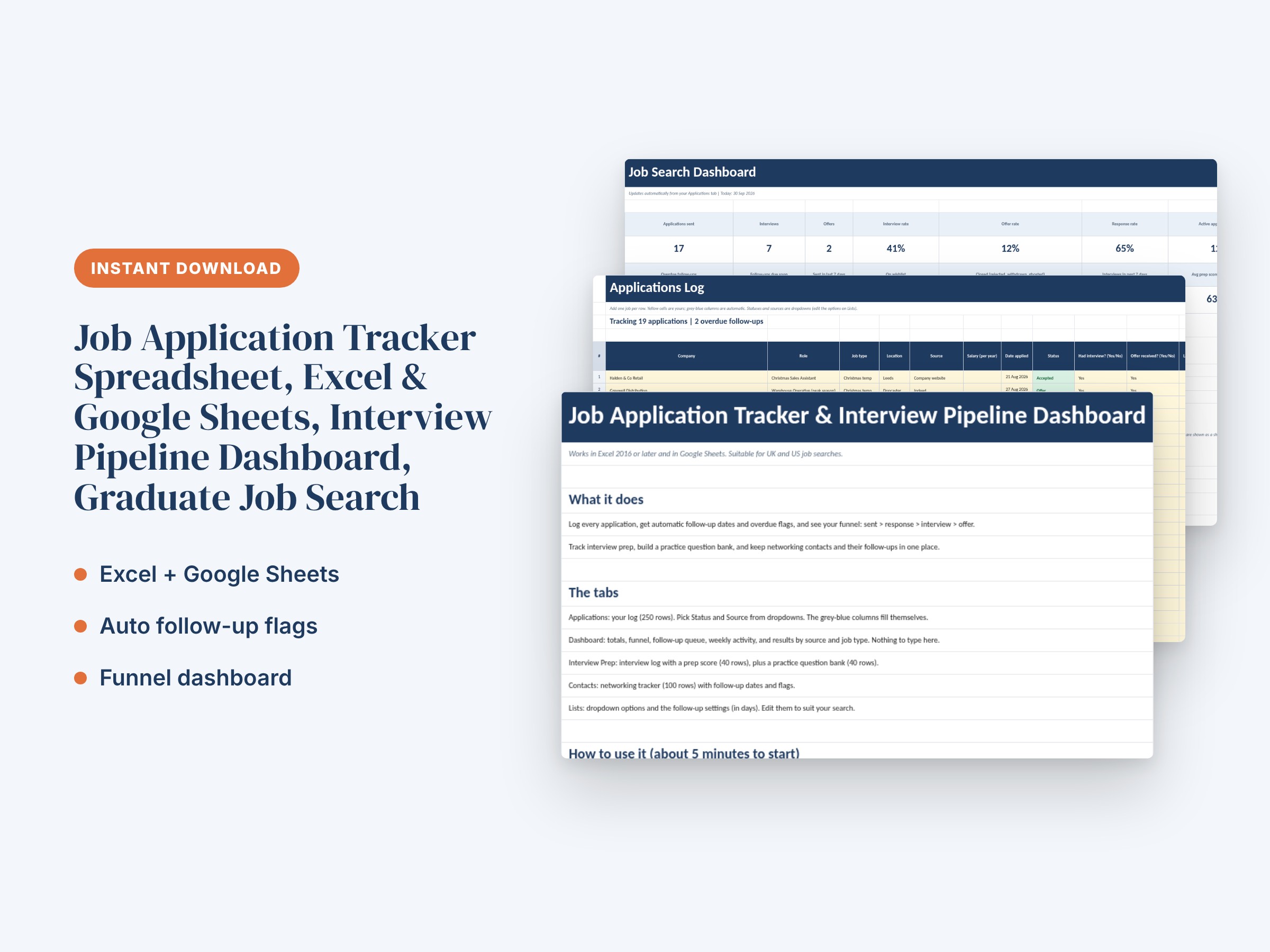
If you'd like a head start, consider using a job application tracker spreadsheet with tabs for your application list, interview notes, and pipeline dashboard. The right template saves time and keeps everything organized in one place so you can focus on landing interviews.
Start tracking today, stay organized, and watch your job search become more strategic and successful.
Save time: Job Application Tracker Spreadsheet, Excel & Google Sheets, Interview Pipeline Dashboard, Graduate Job Search is ready to download and use today.
Stay in the loop.
New templates and member-only offers, now and then. No spam. Unsubscribe in one click.